

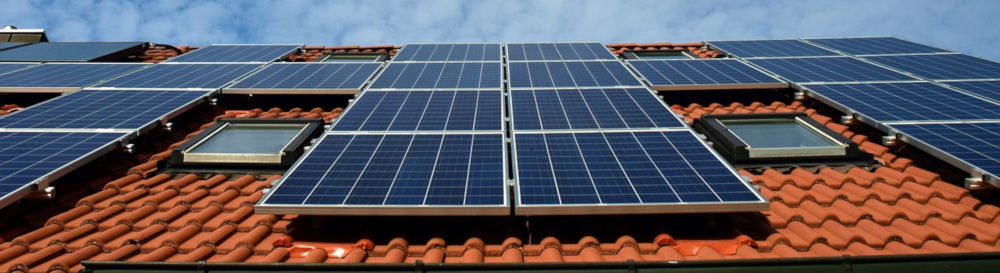

Solar panels are a significant investment; and an increasingly targeted one. As solar panel theft continues to rise across the UK and Europe, having a reliable security system in place is no longer optional.
The Mobeye CM4000 CM-Guard provides a straightforward solution. This battery-powered 4G alarm immediately alerts you if someone tampers with or attempts to remove your solar panels. Installation takes around twenty minutes and does not require professional assistance.
Why Solar Panel Theft is a Real Risk
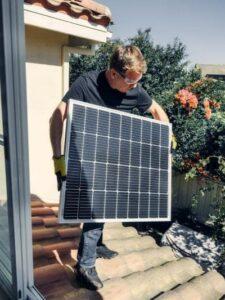
PV panels are bolted to rooftops or ground mounts with standard fasteners. A theft can take just a few minutes. Once panels are gone, you are left without energy production and facing replacement costs that far exceed the value of any stolen hardware.
The Mobeye CM-Guard addresses this directly. A conductive wire loop threads through or around your panels. If that wire is cut or broken during an attempted theft, the CM-Guard sends an immediate SMS or call to your mobile phone via the 4G network. No internet connection required.
How the Mobeye Solar Panel Alarm Works
The system is straightforward: a conductive wire loop connects to the Mobeye CM-Guard unit. If the wire is cut or broken during an attempted theft, the system sends an instant notification to your mobile phone via the mobile network, allowing you to respond at once. Powered by long-lasting batteries (lasting over a year), the device ensures uninterrupted protection. Additionally, it notifies you when the battery is running low.
What You’ll Need
- Mobeye CM-Guard (optionally with IP66 outdoor enclosure for exposed installations): a battery-powered 4G alarm communicator with two NO/NC inputs
- Conductive wire: insulated copper wire or similar conductive material
How to Install Your Solar Panel Alarm
Time needed: 20 minutes
To create a solar panel alarm, follow these straightforward steps:
- Install the Conductive Wire
During solar panel installation – or as a retrofit – thread an insulated copper wire through the panel frames or mounting brackets to form a complete loop. The wire should pass through every panel in the array. If the loop is broken at any point, the alarm triggers. Use a wire gauge robust enough to resist casual cutting but thin enough to route discreetly through the mounting structure.
- Connect the wire to the Mobeye CM-Guard
Attach both ends of the wire loop to one of the CM-Guard’s two inputs. Set that input to “normally closed” (NC) mode. In this state, the system monitors for any break in the circuit; the trigger condition for an alert.
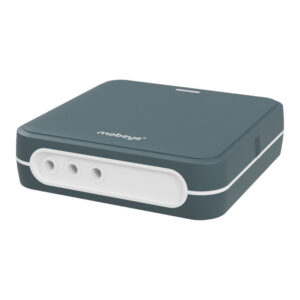

- Configure your alert settings
Add at least one phone number to receive notifications. Send the following SMS command to the device:
1111 TEL1:07123456789 (replace with your number)
The CM-Guard will now contact you by SMS or call the moment the wire is broken. - Position the Device
Place the CM-Guard in a dry, sheltered location close to the panels. For rooftop or outdoor ground installations exposed to rain and weather, use the CM-Guard with the IP66-rated outdoor enclosure. The device runs on long-life batteries lasting over a year and sends a low-battery notification before power runs out.
Frequently Asked Questions
How It Works
The CM-Guard monitors a conductive wire loop that you thread through your panel frames or mounting brackets during installation. If that wire is cut or broken during a theft attempt, the unit immediately sends an SMS or calls up to five registered phone numbers via the 4G mobile network. No internet connection or mains power is required.
A wire loop triggers the moment it is cut, regardless of how carefully a thief handles the panels. Motion or tilt sensors can be fooled by slow, deliberate movement. The wire method is more reliable for this application.
The Mobeye CM-Guard CM4000 is the recommended product for solar panel protection. It has two NO/NC inputs, runs on long-life batteries, and communicates over 4G. The full parts list and setup steps are covered in the installation guide on this page.
Before You Buy
Solar panels are a high-value, easily resaleable target. Theft from residential rooftops, agricultural land, and remote installations has increased alongside the growth of solar adoption. Panels in rural or unlit locations are particularly vulnerable.
Standard home alarms typically do not cover rooftops, outbuildings, or remote ground-mounted arrays. CCTV records theft but rarely prevents it. The CM-Guard sends an alert the moment the wire is cut – while the theft is still in progress – giving you or a response service a chance to act.
Running costs are minimal. You need a SIM card on a pay-as-you-go tariff with SMS capability. There is no mandatory subscription, though optional portal access is available if you want remote monitoring and event logging.
Yes. The CM-Guard works for any PV installation – rooftop, ground-mounted, or off-grid – as long as there is mobile network coverage at the location. The installation guide covers both rooftop and ground-mounted setups.
The wire loop threads through the panel frames and mounting brackets without connecting electrically to the panels or inverter, so it has no impact on panel or inverter warranties.
Installation
Yes. No electrician or alarm engineer is required. As the installation guide explains, the setup involves routing a wire through the panel frames, connecting two terminals on the CM-Guard, and sending one SMS command to register your phone number. Most users complete the setup in under 20 minutes.
Either works. The installation guide recommends threading the wire during the original panel installation when access to the frames is easiest, but it can also be added as a retrofit without removing the panels.
Both ends of the wire loop connect to one of the CM-Guard’s two inputs, set to normally closed (NC) mode. In this state, the unit monitors for any break in the circuit. A break triggers the alert. The full wiring detail is in the installation guide.
We recommend insulated copper wire or similar conductive material; robust enough to resist casual cutting but thin enough to route discreetly through the mounting structure.
Place it in a dry, sheltered location close to the panels. For rooftop or outdoor ground installations exposed to rain and weather, we recommend using the CM-Guard with an IP66-rated outdoor enclosure.
That is exactly the scenario the CM-Guard is built for. As the installation guide notes, it communicates entirely over the 4G mobile network; no broadband or local network needed.
Day-to-Day Use
You arm and disarm the CM-Guard by sending an SMS command from a registered phone number. No app or internet connection is needed.
Send the following SMS to the device: 1111 TEL1:07123456789 (replacing with your own number). The full list of SMS commands is covered in the Mobeye documentation.
Yes. You can send a status request via SMS and the CM-Guard will reply with its current state; armed, disarmed, battery level, and signal strength.
Disarm the unit by SMS before you start work and re-arm it when you are done. The process takes seconds.
Battery life exceeds one year under normal conditions. The CM-Guard sends a low-battery alert automatically before power runs out, giving you time to replace the batteries without any gap in protection.
The CM-Guard needs a usable GSM signal to send alerts. Before installing, check signal strength at the exact location by running the GSM strength test described in the manual. If signal is weak, there are several practical fixes: switching to a Mobeye SIM (which roams across networks and connects to whichever is strongest), repositioning the unit, or fitting an external antenna. See the guide How to Improve Mobile Signal for Alarm System for step-by-step advice.
Pre-Purchase Doubts
Cutting the wire is the trigger. The alarm fires the moment the wire is broken, whether that happens during panel removal or beforehand. The theft attempt triggers the alert either way.
Mount the unit in a concealed or hard-to-access position on the frame, as suggested in the installation guide. A thief looking to remove it quickly would need to locate it first – and any disturbance to the wire loop during that process would still trigger the alarm.
Yes. The CM-Guard is a general-purpose alarm communicator with two inputs. It can be redeployed to protect other equipment, buildings, or installations; anything where a wired or switched input can signal a tamper or fault condition.
The CM-Guard is self-monitored by default; alerts go directly to your registered phone numbers. Optionally, it can connect to the Mobeye Internet Portal or a professional alarm receiving centre if you want a managed response.
If you have the CM-Guard connected to the Mobeye Internet Portal, it logs a timestamped record of when the alarm triggered. This gives you documented evidence to support a police report or insurance claim.
Related products
-
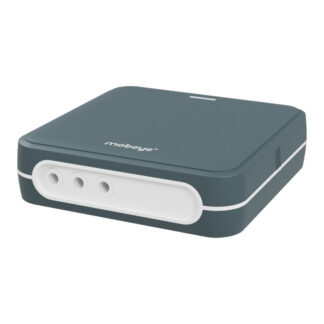
 Outdoor Enclosure (Add-on)Universal 4G Alarm Communicator | Mobeye CM-Guard CM4000€ 220,22 (€ 182,00 excl. VAT)
 -
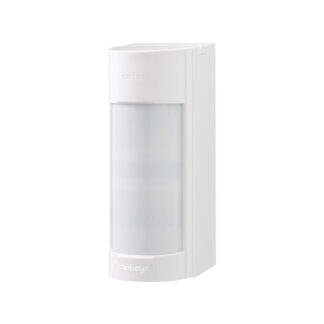 Mobeye 4G Outdoor Alarm CMVXI-R€ 580,80 (€ 480,00 excl. VAT)