
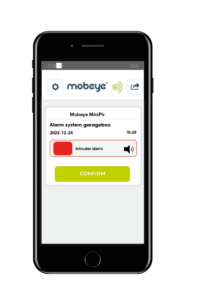
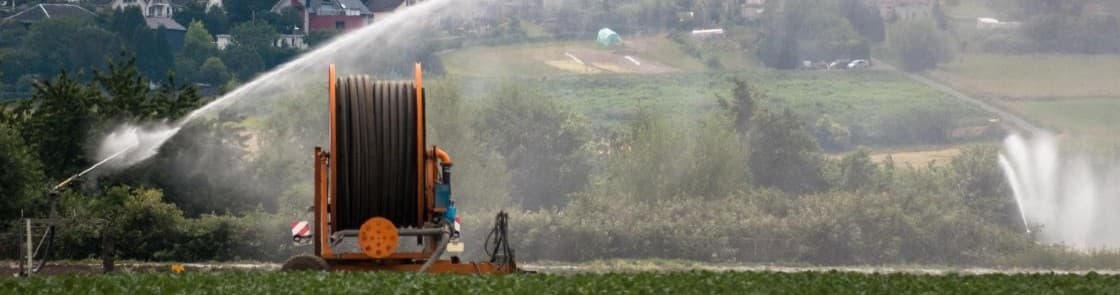
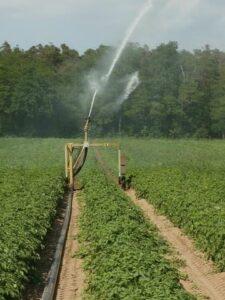
Hose reel irrigation systems do most of the work on their own, but they still need someone to reposition the reel when it reaches the end stop. If that moment gets missed, the pump keeps running and water is wasted — or a section of the field goes without irrigation until someone notices. Smart irrigation systems can close this gap — detecting the end stop automatically and triggering the right response before the problem has time to grow.
The Mobeye CM4000 and its variants address this directly by sending an instant alert the moment the reel reaches the end stop. By connecting the CM4000 to signals from the hose reel or irrigation pump, the system not only notifies the farmer immediately but can also optionally switch off the pump, ensuring efficient water use and uninterrupted irrigation.
The CM4000 can operate entirely on battery power. It can also be powered by an external power supply (12–24 VDC or via a mains adapter). When powered externally, the device also triggers an alarm in the event of a power failure.
This guide walks you through exactly how to set up a hose reel irrigation alert, from choosing the right connection method to configuring your notifications and optional pump control. For an overview, please refer to the datasheet Mobeye Reel Alarm.
What You Need to Set Up the Mobeye CM4000
Before installation, make sure you have the following:
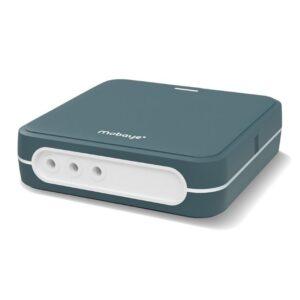
- Mobeye CM4000 monitoring unit (or CM4042, if you want pump control output)
- A SIM card for communication.
The Mobeye SIM/Portal service provides a reliable 4G+2G connection, the Mobeye Messages App, and access to the online portal. Alternatively, you can insert your own SIM card. - Access to the irrigation pump control panel or hose reel relay contact
- Basic electrical wiring tools
- Optional: The Mobeye Messages App installed on your phone (available for iOS and Android)
- A position switch (only required if your reel has no built-in relay contact)
If you are unsure which version of the CM4000 you need, the standard CM4000 handles monitoring and alerts. The CM4042 adds relay outputs for remote or automatic pump control.
Step 1: Choose How to Connect the CM4000 to Your Irrigation System
The CM4000 can connect to your irrigation system in three different ways. Choose the one that matches your existing setup.
Option A — Pump relay output
If your pump stops automatically when the reel reaches the end stop and produces a relay output signal, connect the CM4000 directly to that output. This is the simplest option. When the pump shuts off, the CM4000 detects the signal change and sends the alert.
Option B — Hose reel relay contact
Some hose reels have a built-in relay contact that switches when the end stop is reached. Check your reel’s documentation or inspect the control panel for a relay output. If one is present, connect it to the potential-free input on the CM4000. This gives a direct read on the reel’s position, independent of the pump.
Option C — Position switch on the shut-off bracket
If your reel has no relay contact and the pump does not produce a signal, fit a position switch to the shut-off bracket on the reel. Use a normally open or normally closed contact and wire it to the CM4000’s potential-free input. When the bracket moves at the end stop, the switch triggers the alert.
Step 2: Wire the Mobeye CM4000 to Your Pump or Hose Reel
Once you have chosen your connection method, wire the CM4000 according to the input terminals described in the CM4000 installation manual. The unit has potential-free inputs designed for exactly this type of dry contact connection.
Follow these general steps:
- Switch off the power to the pump or irrigation control panel before making any connections.
- Connect the relay output or position switch wiring to the correct input terminals on the CM4000, as specified in the manual.
- Secure the CM4000 in a weatherproof location near the pump or control panel, protected from direct rain and heat.
- Connect the power supply to the CM4000 and switch it on.
- Confirm the unit powers up and registers on the mobile network (the CM4000 LED indicators show network status).
Step 3: Configure Your Hose Reel Alert Notifications
With the CM4000 wired up and powered on, you can configure how and to whom alerts are sent. This is done via SMS commands or through the Mobeye Messages App.
Set up the following:
- Notification recipients: Add the phone numbers or email addresses of everyone who should receive the alert. On a farm, this might be the owner, a farm manager, or a member of staff responsible for irrigation.
- Notification method: Choose between push notification via the Mobeye Messages App, SMS, phone call, or email. Push notifications are the fastest and require no SMS credit.
- Alert trigger: Set whether the alert fires on a signal change from open to closed, closed to open, or both. This depends on which connection method you used and how your relay or switch is configured.
Step 4: Set Up Remote Pump Control with the CM4042
To prevent water loss at the end stop, the irrigation pump can be switched off remotely. The Mobeye CM4042, which has two relay outputs, is available for this purpose. Switching off is done via SMS or automatically when the hose reel detector triggers the alert. The CM4042 also monitors the sensors and fault contacts of your installation.
The relay outputs can be connected to the pump’s stop and start mechanism. The unit is operated via SMS commands, sent manually or automatically by the reel alarm (CM4000). See the information sheet CM4042 pump control for more information.
An external power supply (12–24 VDC) is required for remote switching of an output.
Step 5: Test Your CM4000 Hose Reel Alert Setup
Before relying on the system during active irrigation, test it end to end.
- Manually trigger the input signal by activating the relay or position switch.
- Confirm that the alert is received on all configured devices within a few seconds.
- If using pump control, confirm the output switches correctly when the input triggers.
- Reset the system and run a full irrigation cycle to verify everything works under normal operating conditions.
If the alert does not arrive, check the SIM card connection, verify the mobile signal strength at the installation location, and confirm the input wiring matches the trigger setting you configured.
Managing Hose Reel Irrigation with the Mobeye CM4000
Once the Mobeye CM4000 is set up, it requires very little attention. The system runs in the background during every irrigation cycle and sends an alert only when action is needed. There is nothing to check manually and no software to log into.
When the reel reaches the end stop, your phone receives a notification. You reposition the reel, irrigation continues, and no water is wasted. For farms running hose reel irrigation through a dry season, that reliability makes a practical difference every day.
Looking for more ways to monitor your farm remotely? Browse all smart farming products from Mobeye.

