

Description
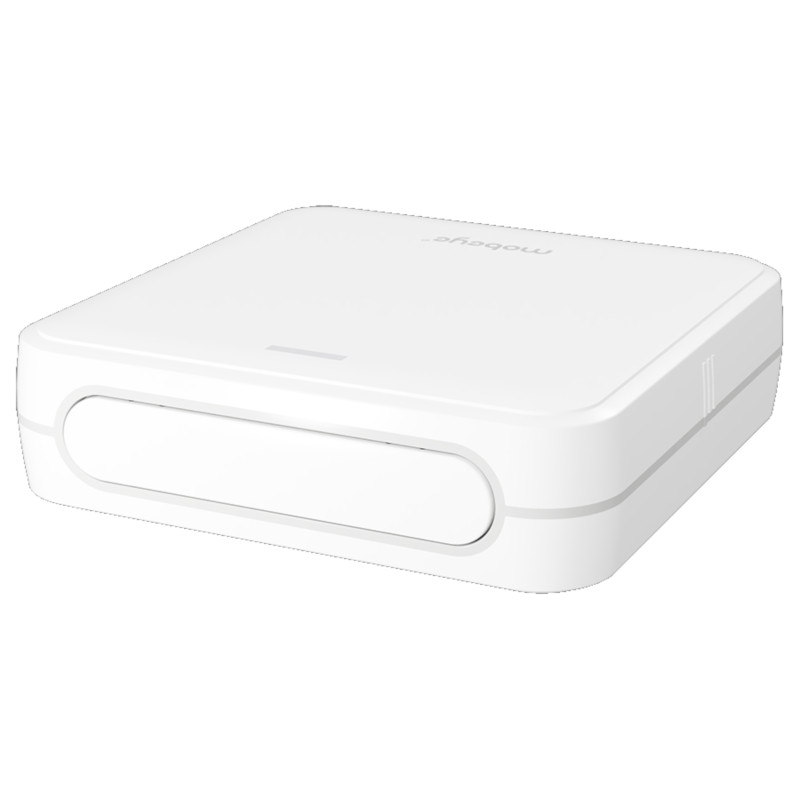
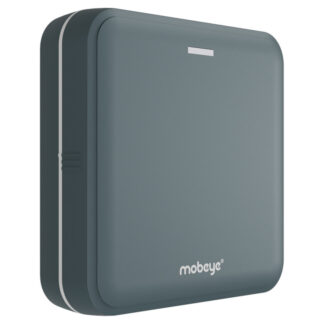
Mobeye Panic Button CM4500 – 4G Fixed Panic Alarm
The Mobeye CM4500 is a fixed panic alarm and emergency assistance button built for workplaces, businesses, and home environments. It lets users call for help from colleagues, security staff, emergency responders, family members, nurses, or an Alarm Receiving Centre (ARC). Typical uses include protecting lone workers, safeguarding vulnerable people at home, and securing customer-facing staff. Fixed panic buttons are particularly important in offices, hospitals, warehouses, reception areas, interview rooms, leisure centres, and industrial settings.
When pressed, the CM4500 immediately notifies designated contacts by push notification, phone call, SMS, and/or email. It requires no wiring and runs on battery power for extended periods, making it easy to place wherever it is needed most — under a desk, beside a bed, or next to a machine.
Mobeye Panic Button for extra security
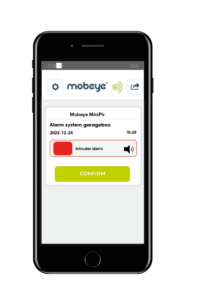
The Mobeye Panic Button adds a reliable layer of security to any environment. On activation, it sends alerts via the Mobeye Messages App (iOS and Android), voice call, text message, and/or email. You can configure multiple notification channels and, if required, route alarms directly to a control room or Emergency Centre.
The device runs for over a year on a single set of batteries. Response time is typically 25–30 seconds, though connecting it to an external power source (12–24V DC or mains voltage) reduces this significantly.
Where to position your Panic Alarm Button
The CM4500 can stand freely or be mounted to any surface using the built-in fixing holes. It suits a wide range of locations depending on your needs.
Personal panic alarm
For home use, the bedroom is the most practical location — on a bedside table or fixed to the wall beside the bed, within easy reach at all times.
Under desk panic button
The CM4500 is purpose-built for discreet under desk installation. The trigger button sits on the back of the housing, so it mounts flush to the underside of a desk or counter without being visible. Staff can activate it silently without alerting anyone nearby — making it ideal for reception desks, service counters, and interview rooms where a covert under desk panic button is essential.
Workplace panic button
As a workplace panic button, the CM4500 gives employees a fast, reliable way to call for help without leaving their post. It can be fixed next to a machine, mounted at a workstation, or installed at any point where staff may be at risk. Where a larger, more accessible trigger is needed, an external button can be connected directly to the input. The device is designed for use in dry, clean indoor environments, operating in temperatures between -10 °C and 50 °C.
How to install your Panic Button
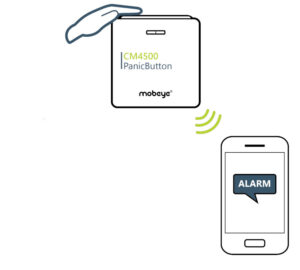 The CM4500 is a 4G cellular panic alarm — no landline or Wi-Fi required. Installation takes only a few steps:
- Open the casing and insert the SIM card
- Insert the batteries
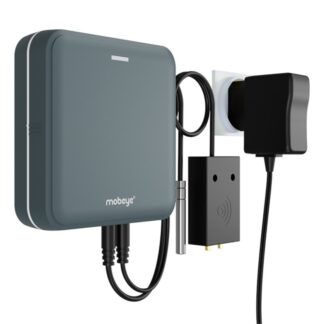
- Optional: Connect an external power supply
- Optional: Connect an external button if a larger trigger is required
- Programme the device following the enclosed manual
Once installed, place the unit close to the user. On pressing the button, the module searches for a network connection, which takes around 20 seconds on battery power. Connecting to an external power source keeps the module permanently connected to the mobile network, so alerts are sent the moment the button is pressed.
Designated contacts receive a pre-set alarm message. Using the Mobeye SIM, Portal, and app, you can set up an escalation plan with alarm confirmation — this feature prevents the app message from being forwarded to the next contact until confirmation is received..
Applications for the Mobeye CM4500
The CM4500 is a compact, straightforward panic alarm system that delivers fast alerts when personal safety or security is at risk. It suits homes, workplaces, and public-facing businesses equally well.
Common applications include:
- Bedrooms: immediate assistance for older, disabled, or bedridden individuals
- Private residences: reassurance for people living alone and peace of mind for their families
- Workplaces: a reliable workplace panic button for offices, reception areas, and customer-facing roles
- Under desk installation: a discreet under desk panic button for counters, service desks, and interview rooms
- Security checkpoints: faster response during security incidents
- Lone worker environments: personal safety alarm for staff working alone
- Retail counters: covert protection for high-risk businesses, including:
- Liquor stores
- Convenience stores
- Pharmacies
- 24-hour shops
- Petrol stations
- Mobile phone stores
- Pubs and bars
- Banks
- Jewellery shops
✅ Using the included Mobeye SIM card? You get full access to the Mobeye Portal and app, 4G connectivity with 2G fallback, unlimited contacts, push notifications with escalation plan, and remote programming. Subscription rates at mobeye.com/en/sim-portal.
⚠️ Using your own SIM card? If you use your own SIM card, the features of the Mobeye Portal and Mobeye App will no longer be available. Alarm notifications will instead be sent via text message and/or phone call to a maximum of 5 phone numbers. Please note that not all mobile network operators support the call function, some additional security features will be unavailable, and Mobeye will be unable to provide the full range of support options. For full functionality, use the included Mobeye SIM card.
Browse related application guides: Home & Garden Security · Intruder Alarms · Small Business Security Systems · Surveillance

Reviews
There are no reviews yet.