
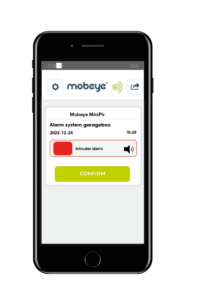

This FAQ explains how to improve mobile signal strength specifically for Mobeye devices operating on the mobile network. It outlines practical measures to ensure reliable connectivity for alarms and notifications, as well as longer-term solutions for locations where mobile coverage is weak, helping Mobeye devices perform consistently and without interruption.
Improving Mobile Signal Strength – FAQs
GSM signal strength depends on the proximity and availability of masts from your mobile network provider. Several practical steps can help improve connectivity.
Take the module outside and run the GSM network strength test as described in the manual. This will confirm whether a signal is available nearby.
Yes, if your current provider has limited coverage in your area. We recommend using the supplied Mobeye SIM card. It is a roaming SIM, meaning it connects to the strongest available network at any given time — no single provider is prioritised. This allows your device to switch between networks without interruption.
Yes. If the signal is adequate in the area but weak at the device’s exact location, an extension cable lets you move the device to a better position. This is only applicable if you have a sensor connected to the device.
Yes. Mobeye devices support an external antenna via an SMA connector, though this requires a minor hardware modification — a different connector fixed into the enclosure. If you already own a device, an external antenna add-on kit is available separately. Antenna cables come in lengths of 30 cm, 250 cm, and 10 metres.
Instructional Guidance: Improving Mobile Signal Strength
Weak GSM signal is one of the most common causes of missed alarms and delayed notifications. Here is how to diagnose and fix it.
- Start with a signal test
Before making any changes, establish whether the problem is coverage or placement. Take the device outside and run the GSM strength test from the manual. If the signal improves significantly outdoors, the building itself is likely blocking the signal — not the network.
- Check your SIM
A SIM tied to a single provider will only ever be as good as that provider’s local coverage. The Mobeye SIM connects to whichever network is strongest at your location, making it the more reliable choice in areas where coverage varies between providers.
- Adjust the device’s position
Small changes in placement can make a noticeable difference. Moving the device higher, closer to a window, or away from thick walls or metal surfaces can all improve reception. If a sensor is connected, an extension cable gives you more flexibility to find the best spot.
- Add an external antenna
For persistently poor signal, an external antenna is the most effective solution. It connects via an SMA connector and is available with cable lengths of 30 cm, 250 cm, or 10 metres, giving you control over exactly where the antenna is positioned. Fitting it requires a small hardware modification to the device. You will have to drill a small hole in the enclosure, and you’ll need to use a screwdriver to temporarily remove the PCB. Contact us if you would like guidance before getting started.
Recommended Products
-
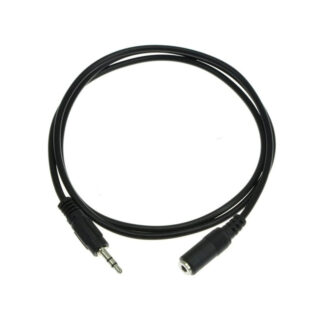
 Extension Cable 10m round (AC-EC3)€ 32,00 (€ 26,45 excl. VAT)
 -
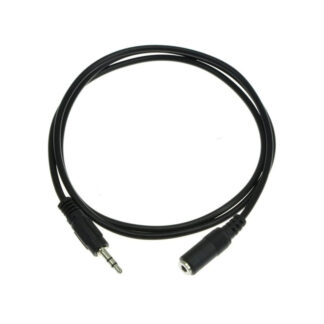 Extension Cable 2,5m round (AC-EC1)€ 15,00 (€ 12,40 excl. VAT)
 -
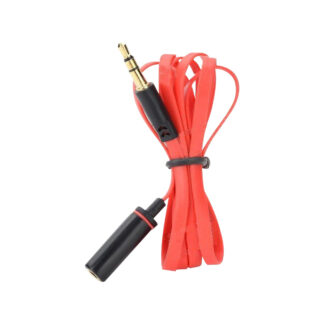 Flat Extension Cable, 1m (AC-EC2)€ 15,00 (€ 12,40 excl. VAT)
-
 External antenna kit, SMA mushroom antenna, 10 metres cable€ 84,70 (€ 70,00 excl. VAT)
 - External Antenna Kit, SMA Antenna, 250cm Cable€ 72,60 (€ 60,00 excl. VAT)
- External Antenna Kit, SMA Mushroom Antenna, 30cm Cable€ 60,50 (€ 50,00 excl. VAT)