
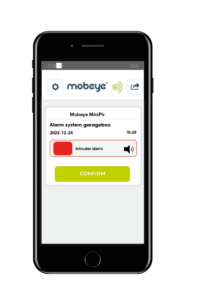


When you are away from your property, a lot can happen. A door can be forced open, a pipe can leak, or a fire can start. Without the right system in place, you may not find out until the damage has already been done. Alarms with SMS notification change this by sending an alert the moment a sensor is triggered, directly to your mobile phone, so you can respond while there is still time to act.
Mobeye takes this further with devices that offer more than SMS alerts alone. Depending on your preferences, notifications can also be sent by phone call, email, or push notification, giving you updates through the communication method that suits you best.
Interested in push notifications? Discover the Mobeye Messages app.
What Is an Alarm with SMS Notification?
An SMS alarm system combines traditional alarm functionality with mobile communication. When a sensor detects an event such as an intrusion, smoke, temperature change, or water leak, the system sends an SMS alert to one or more selected contacts immediately.
A typical system consists of four main components:
- Sensors: Detect specific events such as movement, smoke, fire, or flooding.
- Control unit: Processes sensor information and activates the alarm when a set condition is reached.
- SMS communication module: Connects the system to the mobile network and sends notifications.
- Contact list: A configurable list of recipients who receive alerts when the alarm is triggered.
With Mobeye devices, these functions are combined in one compact unit measuring only 94 × 94 × 28 mm.
Why Use an Alarm with SMS Notification?
Instant alerts without internet dependency
SMS works independently from Wi-Fi or a broadband connection. Even if your internet connection fails, alerts can still be delivered, making SMS a reliable communication method for important notifications.
Stay informed wherever you are
When an alarm is triggered, your phone receives the notification immediately. There is no need to open an app or check a dashboard. The information comes directly to you, allowing you to contact a neighbour, call emergency services, or take further action without delay.
Adapted to your situation
You decide which events trigger an alert and who receives the notifications. A homeowner may only need alerts for intrusion and smoke detection. A business may want notifications sent to both a manager and a security contact. The system can be configured around your specific needs.
Remote control from your phone
Mobeye SMS alarm systems allow you to arm or disarm the device, check its status, and change settings remotely. You do not need to be physically present at the location to manage the system.
Works with existing systems
Mobeye devices can work alongside other equipment, including smart locks, AC systems, and building management solutions. This allows the alarm system to become part of a wider security or automation setup.
A cost-effective security solution
Compared with professional monitoring services, SMS alarm systems provide reliable awareness at a lower ongoing cost. Faster response times can also help limit damage and may support insurance requirements.
Choosing the Right Mobeye Device
The best device depends on what you want to protect and which events you need to monitor. Mobeye products are grouped by application, making it easier to find the right solution, from a simple intruder alert for a remote property to a multi-sensor monitoring system for a commercial location.
Mobeye devices are designed for straightforward installation and configuration without specialist knowledge. If you are unsure which product matches your situation, contact us and we can help you select the right solution.
Who Uses Alarms with SMS Notification?
Home security
For homeowners, an SMS alarm is particularly useful when a property is empty, such as during holidays, weekends away, or working hours. A motion sensor near an entrance or a smoke detector in the kitchen can send an alert within seconds, giving you the opportunity to respond before a small issue becomes major damage.
Business premises
Shops, offices, and warehouses are vulnerable outside opening hours. An SMS alarm system can notify a security contact, keyholder, or responsible employee as soon as an intrusion or other problem is detected. Multiple recipients can be configured, ensuring the right people receive the alert.
Remote and unattended locations
SMS notification alarms are ideal for locations that are rarely visited, such as holiday homes, sheds, agricultural buildings, plant rooms, and construction sites. Because they communicate through the mobile network rather than a fixed internet connection, they continue to work in places where broadband is unavailable.
Conclusion
An alarm that detects a problem but does not notify anyone only provides limited protection. SMS notification closes the gap between detection and response, keeping you informed wherever you are. Mobeye devices combine reliable hardware with flexible alert options, ensuring important messages reach you through the right channel at the right time.
Browse Mobeye’s alarm and monitoring devices to find the right solution for your property.
Examples of Mobeye alarms with sms notification
-
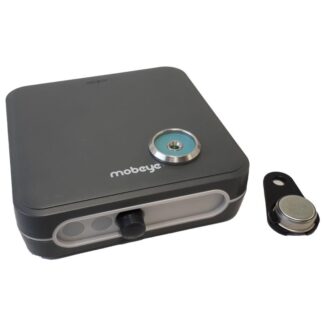
 Mobeye MiniPir iCM41 – Wireless Battery-Powered PIR Burglar Alarm for Indoor Use€ 359,00 (€ 296,69 excl. VAT)
 -
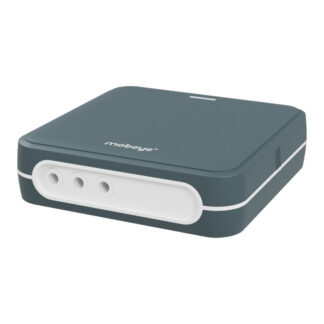 Outdoor Enclosure (Add-on)Universal 4G Alarm Communicator | Mobeye CM-Guard CM4000€ 199,99 (€ 165,28 excl. VAT)
 -
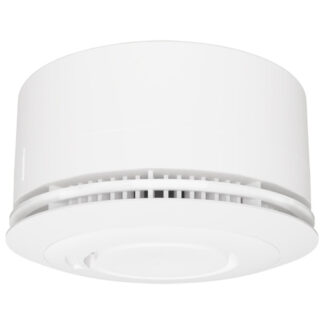 Mobeye 4G Smoke Detector CM4400, Battery Powered€ 259,00 (€ 214,05 excl. VAT)
 -
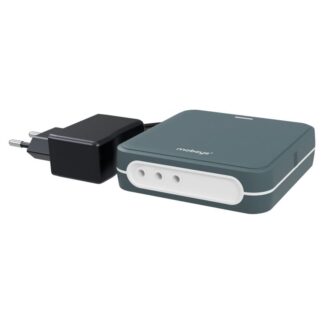 Outdoor Enclosure (Add-on)Mobeye PowerGuard CM4100 – 4G Power Failure AlarmPrice range: € 215,00 through € 220,00
Frequently Asked Questions
Yes. Mobeye devices connect via the mobile network (GSM/4G), so they operate independently of your broadband or Wi-Fi. This makes them reliable in locations where internet connectivity is limited or unstable.
In most cases, the alert is sent within seconds of the sensor triggering. Delivery time depends on your mobile network, but under normal conditions the message arrives almost immediately.
Yes. You can configure a recipient list with multiple contacts. This is useful for households with two or more owners, or businesses where alerts need to reach both a security team and a site manager.
Yes. Mobeye’s systems support two-way SMS communication, allowing you to arm or disarm the device, request a status update, or adjust settings by sending a message from your phone.
Mobeye devices support multiple notification channels. If SMS is set as the primary alert, you can also configure call or email as a backup, reducing the risk of a missed notification.